- Published on
Refine Review: The Offline AI Grammar Checker That Actually Respects Your Privacy
10 min read
- Authors
- Name
- Kiarash Soleimanzadeh
- https://go.kiarashs.ir/twitter



Table of Contents
- Quick Take
- What Exactly Is Refine?
- Setting It Up
- Where Refine Actually Delivers: Privacy
- Grammar and Fluency Checks
- "Explain" — My Favorite Feature
- Translation Without Breaking Your Flow
- The Floating Editor: One Tool for Everything
- Snippets and Custom Instructions
- Works Almost Everywhere on Mac
- Multilingual Support
- For Power Users: Bring Your Own Key
- Customization
- Pricing: Refreshingly Simple
- Where It Could Improve
- Final Verdict
If you write anything on a Mac — emails, Slack messages, blog posts, code comments, DMs to your group chat — you've probably tried a grammar checker at some point. And if you're like me, you've also probably had that little nagging feeling every time one of those tools uploads your draft to "the cloud" before suggesting a comma fix.
That's the exact itch Refine scratches. It's a macOS app that brings AI-powered grammar checking, rewriting, translation, and explanations to basically every app you already use — except none of your text ever leaves your computer. After spending real time with it across Mail, Notion, Slack, and a few long-form drafts, I wanted to write up a full, honest review of what it gets right (and where it has room to grow).
Quick Take
- What it is: A native macOS app that runs local AI models to check grammar, improve fluency, translate inline, and explain its own suggestions — system-wide, in almost any app.
- Who made it: An indie developer, Runju Huang, who also built the well-regarded input-switching utility Input Source Pro.
- Why it stands out: Everything processes on-device by default. No subscription, no per-token billing, no servers reading your drafts.
- Price: One-time lifetime license, $38 for a single device, with a 7-day free trial and a 30-day refund window.
- Requirements: macOS 14 or later (16GB RAM recommended on Apple Silicon for the best local-model experience).
What Exactly Is Refine?
Refine bills itself as a privacy-first, offline alternative to cloud grammar tools like Grammarly. Instead of routing your sentences through a remote server, it downloads a small generative AI model — Google's Gemma family is the default, with Qwen 3.5 and Gemma 3n also available — and runs grammar and fluency checks directly on your Mac's hardware. Once the model is downloaded, the app genuinely works without an internet connection. You could turn on a firewall blocker and Refine would keep functioning exactly the same.
That single design decision shapes almost everything else about the product: the pricing model, the speed, the way it handles sensitive text, and even how confident you feel pasting an unfinished email draft into it.
Setting It Up
Installation is refreshingly uneventful. You download the app, grant it accessibility permissions (which is how it can read and suggest edits inside other apps), and pick a local model to download. The first-run model download takes a couple of minutes depending on your connection, and after that, Refine just sits quietly in the background.
The trial is genuinely full-featured — every capability is unlocked for 7 days, and you don't need to hand over a credit card just to try it.
Where Refine Actually Delivers: Privacy
I want to spend a moment on this because it's the whole reason the app exists. Refine's FAQ is blunt about it: your documents and text "never leave your Mac," nothing is collected or transmitted, and all processing happens through offline generative AI models running locally. For anyone who writes about clients, contracts, health information, or just doesn't love the idea of a third party reading their half-finished novel, that's a meaningfully different value proposition than a browser extension phoning home on every keystroke.
Grammar and Fluency Checks
The core experience is the part you'd expect from any grammar tool, and Refine handles it well. As you type, it underlines issues and pops up a suggestion card you can accept or dismiss with a keyboard shortcut (Tab to apply, Esc to dismiss, by default).
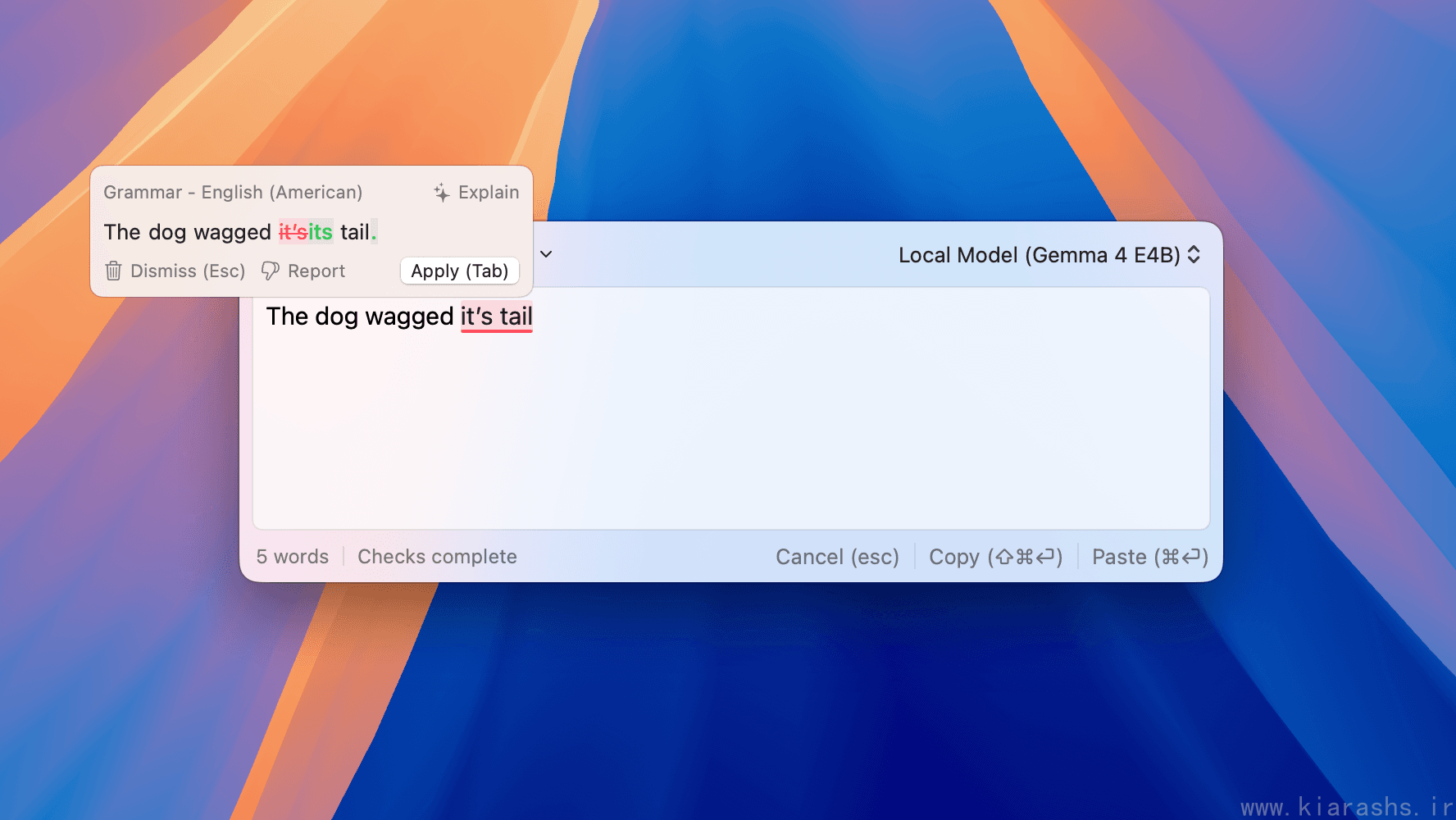
What I appreciated more than the basic catches was the Rewrite feature, which goes beyond fixing outright errors and instead smooths out clunky or overly wordy phrasing while keeping your original meaning intact.
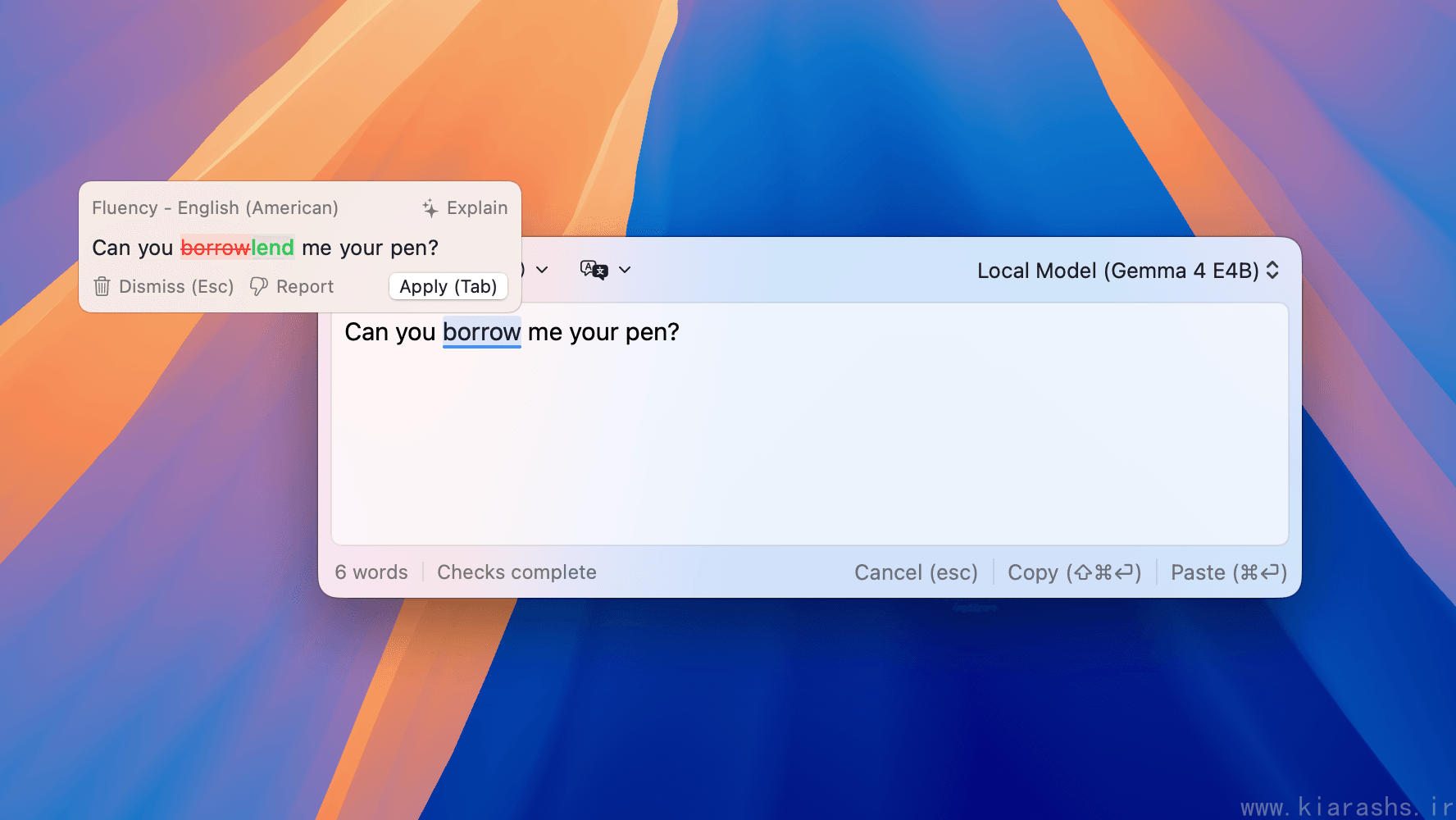
You're also not stuck accepting an entire suggestion as a block. Refine lets you click into individual changed words within a suggestion and leave specific ones out, so you can take the parts of a correction you agree with and skip the rest — a small touch that makes the suggestions feel less like a take-it-or-leave-it system.
"Explain" — My Favorite Feature
This is the feature that sold me on Refine being more than a typo-catcher. Click "Explain" on any suggestion, and it gives you a plain-language breakdown of why the change was suggested — the grammar rule, the stylistic reasoning, or the nuance you might have missed.
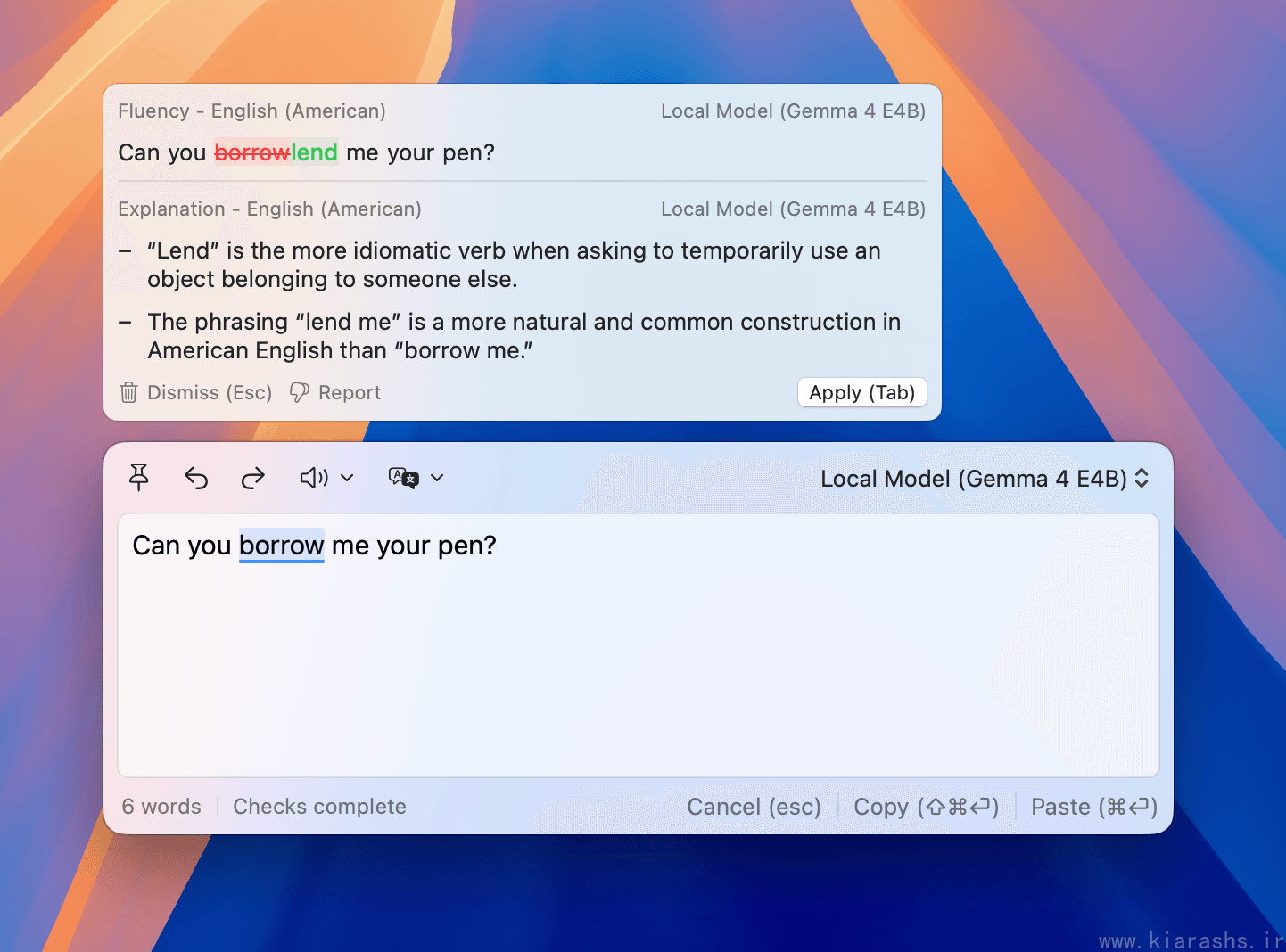
For non-native English speakers, or honestly for anyone who wants to actually get better at writing instead of just patching mistakes forever, this turns Refine into something closer to a patient writing tutor than a red-squiggly-line machine.
Translation Without Breaking Your Flow
If you've ever been mid-sentence and blanked on the right word in English, Refine has a neat trick: just type the word or phrase in your native language, and it suggests a natural translation in context, right where you're typing. You never have to stop, open a separate translator tab, and lose your train of thought.
The Floating Editor: One Tool for Everything
For apps that don't play nicely with inline suggestions, Refine has a Floating Editor you can summon with a shortcut (⌘4 by default). It's a small, pinnable, resizable window where you can:
- Rewrite text using presets like Professional or Concise
- Translate text into another language
- Have text read aloud via text-to-speech, with control over voice, language, and speed
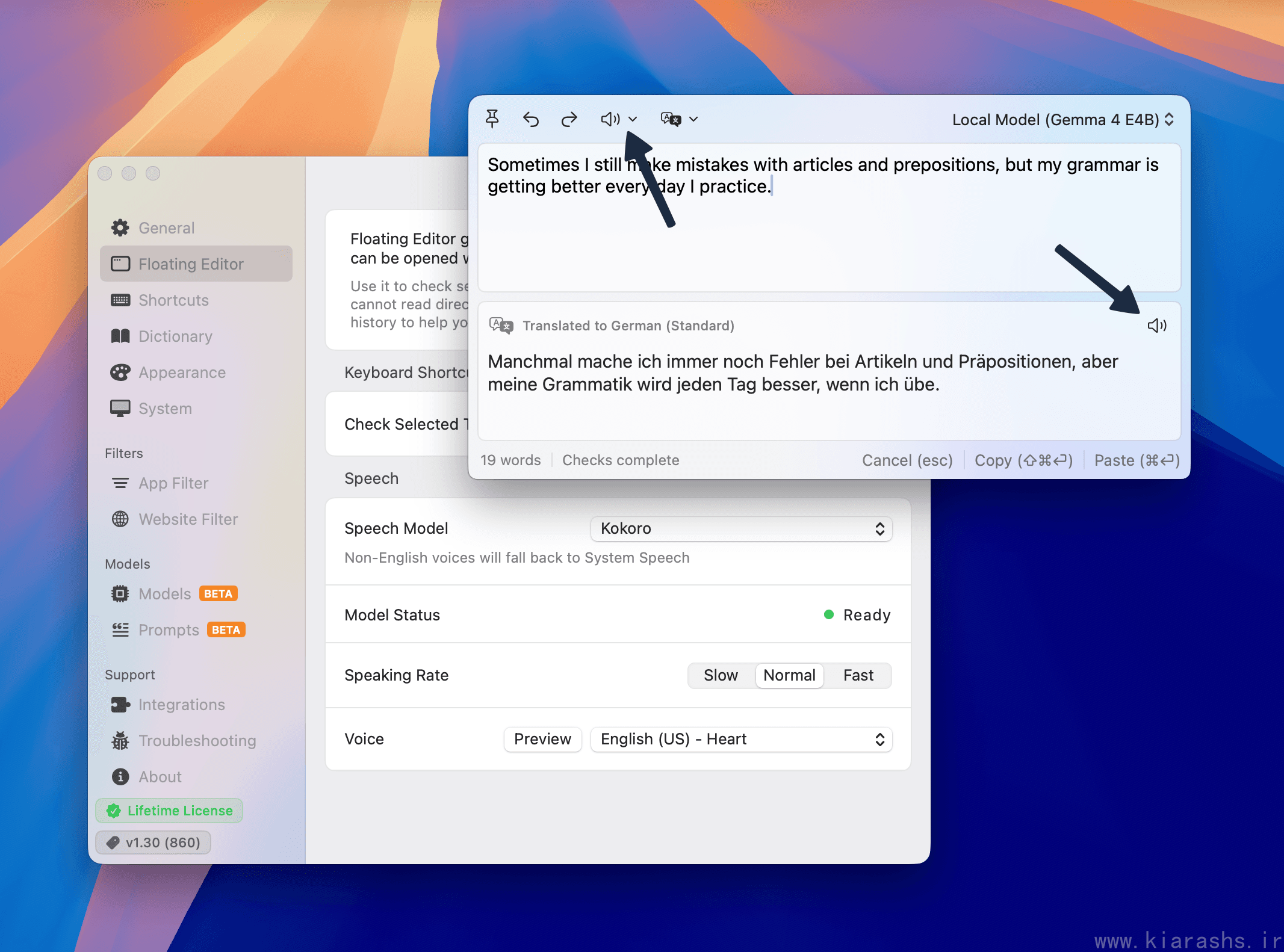
It's a genuinely handy catch-all for anywhere accessibility-based suggestions can't reach — PDFs, certain Electron apps, or just text you've copied from somewhere else entirely.
Snippets and Custom Instructions
Two smaller features quietly save a lot of time:
- Snippets: type
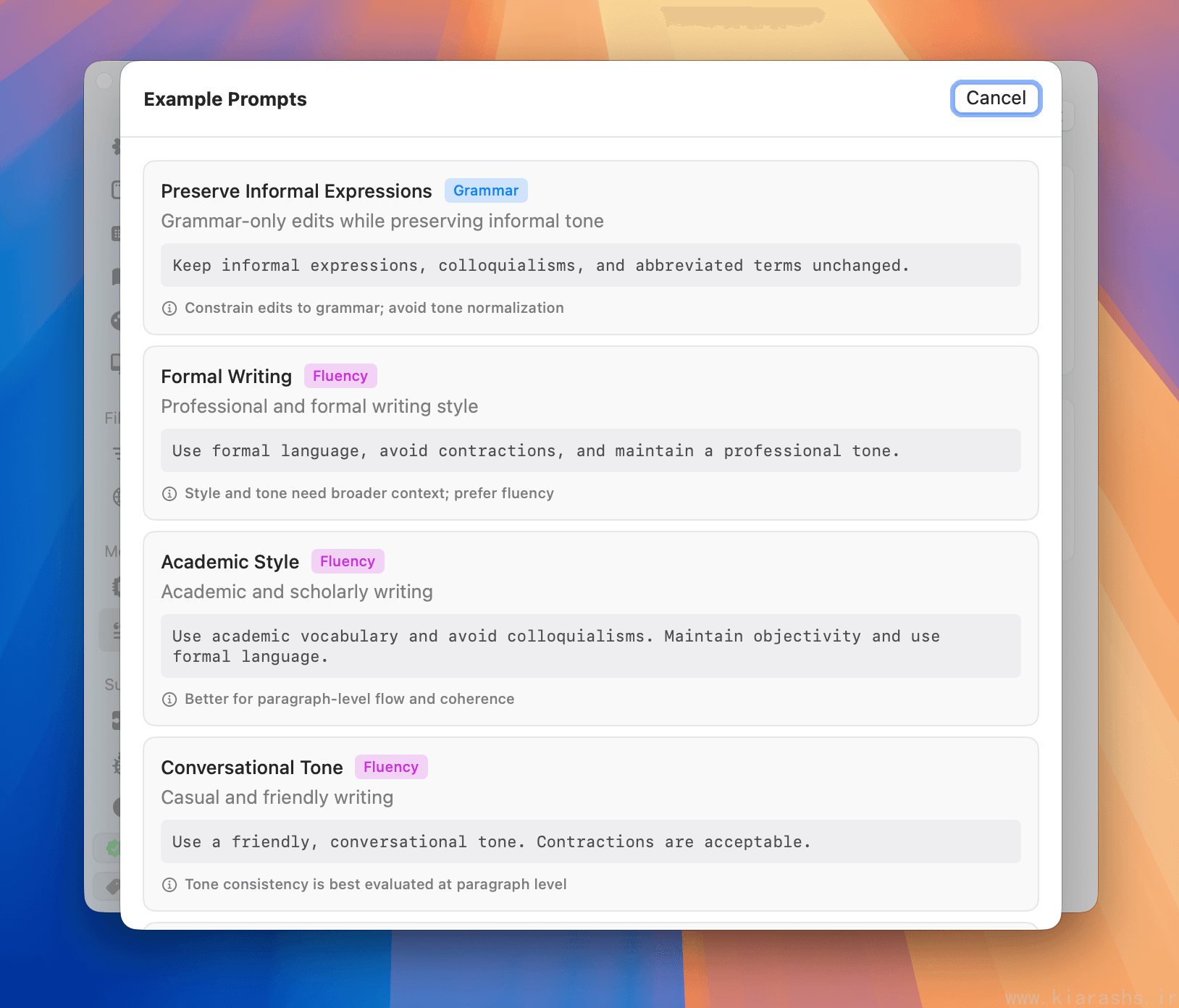
\anywhere, keep typing to filter your saved snippets, and hit return to expand one in place — handy for canned responses, signatures, or boilerplate you type often. - Custom prompts: you can steer grammar and fluency checks in your own words, per language or per app. The site's own examples are a good illustration — telling Refine to keep informal expressions and abbreviations untouched in casual contexts, versus telling it to enforce a formal, contraction-free tone for professional writing.
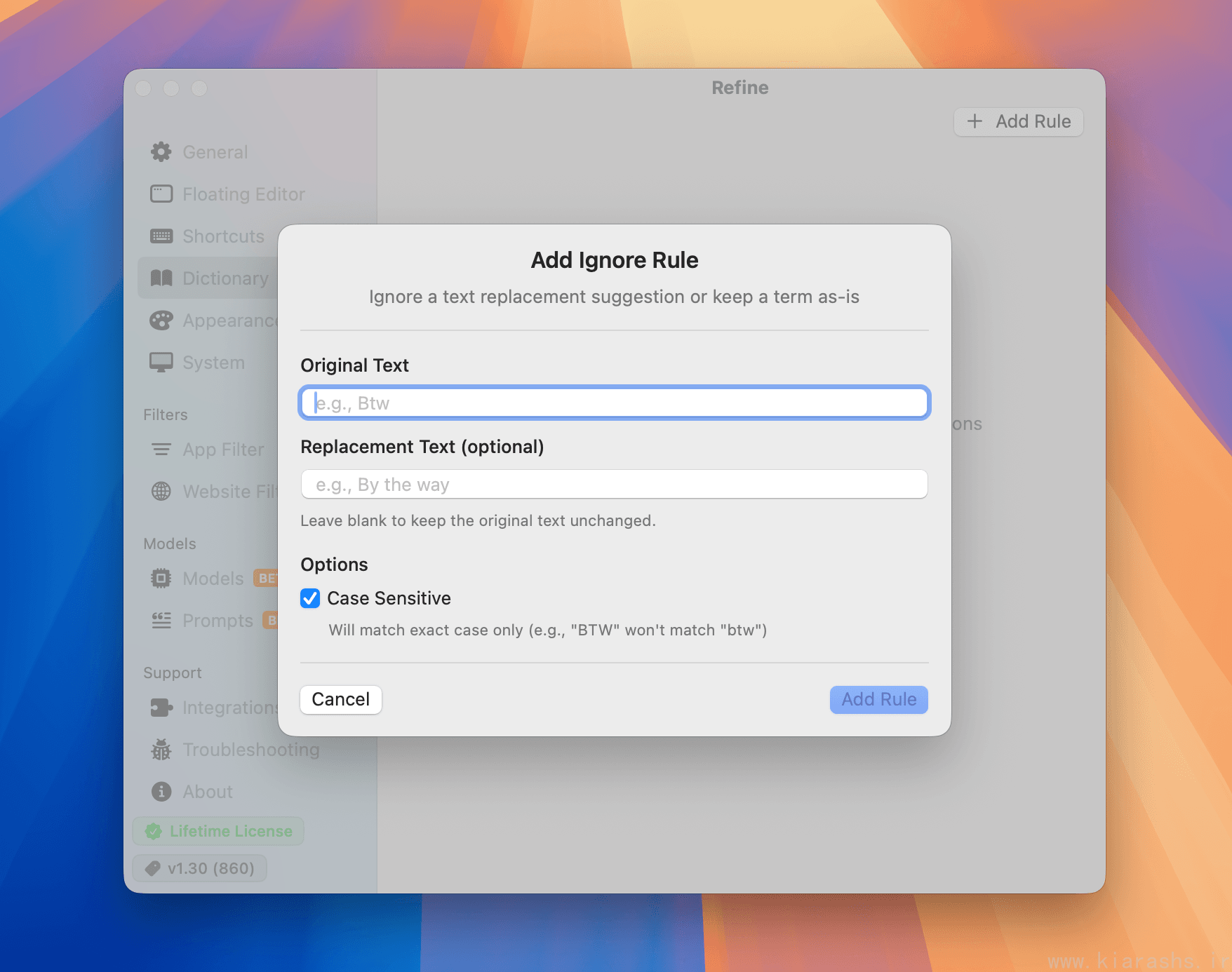
There's also a built-in dictionary for words, names, or terms you always want left alone — useful if you write a lot of product names, technical jargon, or someone's correctly-spelled-but-unusual name that keeps getting flagged.
Works Almost Everywhere on Mac
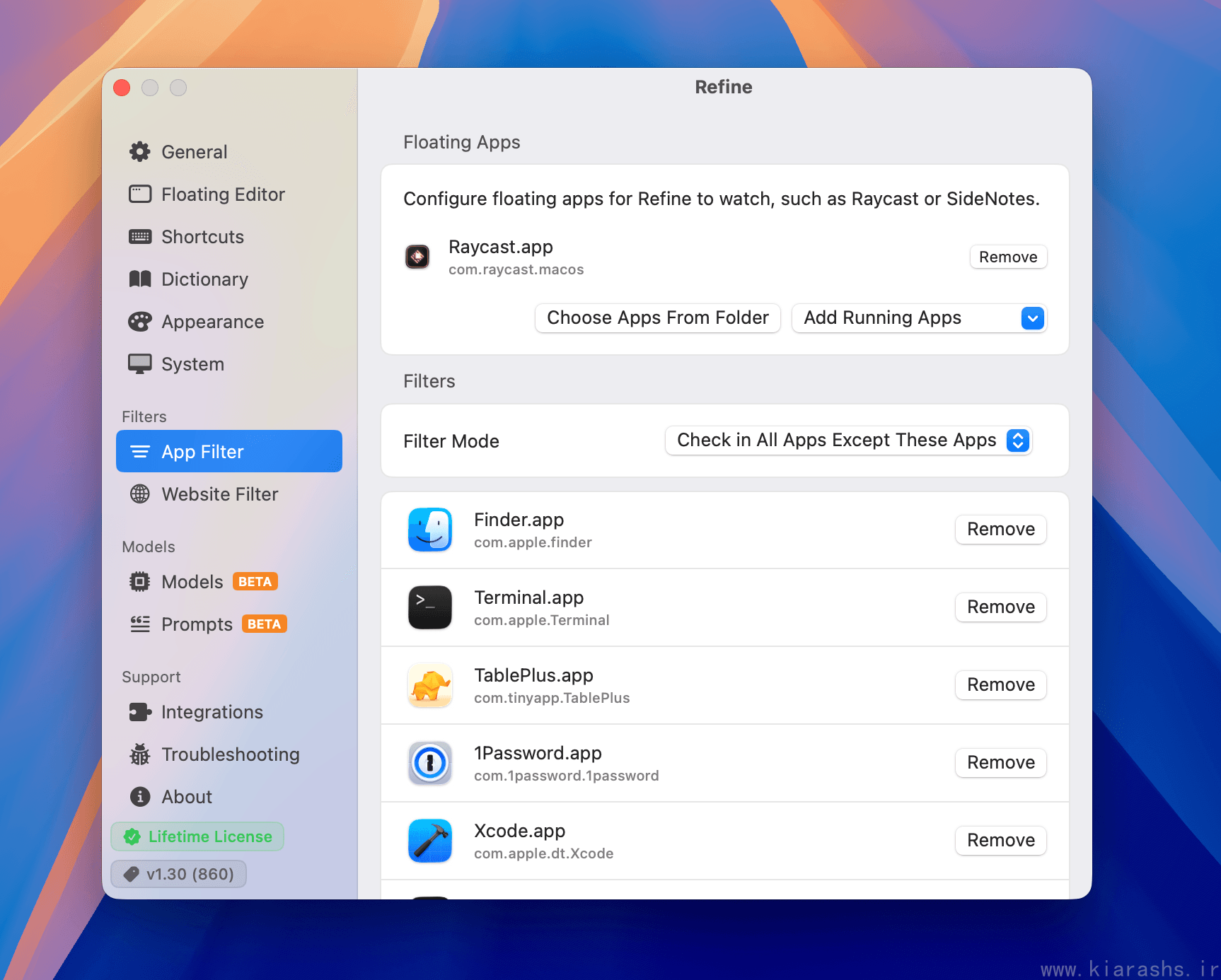
Refine isn't tied to a browser extension or a single app — it works system-wide across most macOS apps that support standard accessibility APIs. In practice, that covers Mail, Messages, Safari, Chrome, Firefox, Pages, Word, Slack, Notion, Discord, Telegram, WhatsApp, Notes, Bear, Ulysses, Obsidian, Craft, Scrivener, Day One, Spark, iA Writer, and "many more" per the developer.
For the handful of apps that don't expose enough accessibility information (the same apps where even VoiceOver struggles), the Floating Editor shortcut fills the gap. And if you'd rather Refine not check certain apps or websites, granular filters let you include or exclude them individually, with subdomain support for browser-based tools.
Multilingual Support
This is one of the more impressive parts of the package. Refine supports grammar checking, fluency checks, explanations, and translation across more than 50 languages and regional dialects — not just generic "Spanish" or "English," but variants like Indian English, Swiss German, Brazilian Portuguese, Mexican vs. Argentine Spanish, and Simplified vs. Traditional Chinese. As of version 1.32, the app's own interface is also localized into English, French, German, Japanese, Korean, Spanish, and both Chinese variants.
For Power Users: Bring Your Own Key
Local models handle the everyday workload well, but Refine doesn't lock you out of bigger models if you want them. You can plug in your own API keys for OpenAI, Anthropic, Gemini, OpenRouter, Amazon Bedrock, or local runners like Ollama and LM Studio — and assign different models to different tasks (say, your local model for everyday grammar checks, but a larger cloud model specifically for translation or explanations).
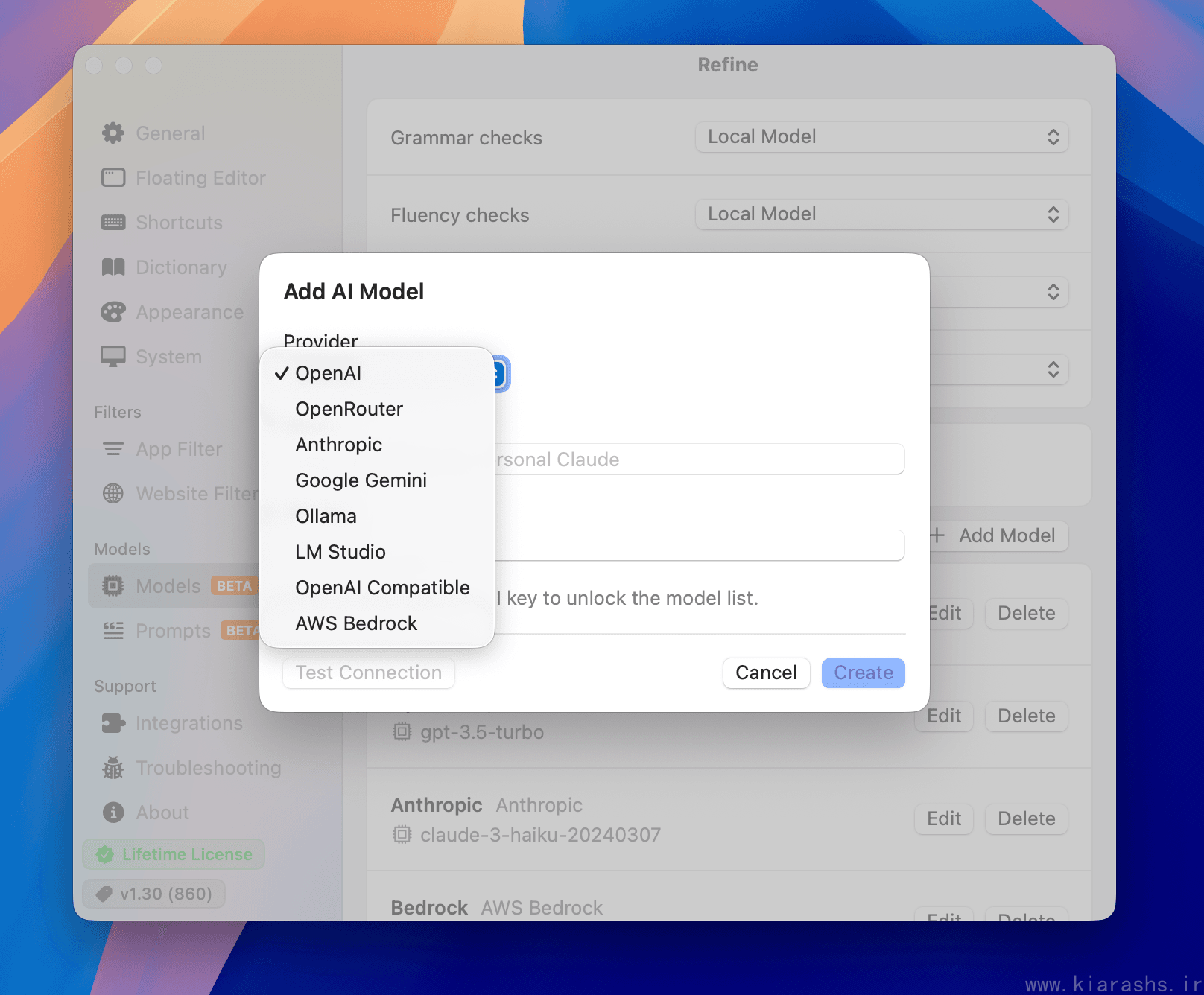
Your keys are stored in the macOS Keychain rather than on Refine's servers, and requests go directly from your Mac to the provider you chose — no proxy in between. It's a smart middle ground: privacy by default, with an opt-in door to more horsepower when you actually need it.
Customization
Beyond the core writing features, Refine gives you a lot of small dials to turn:
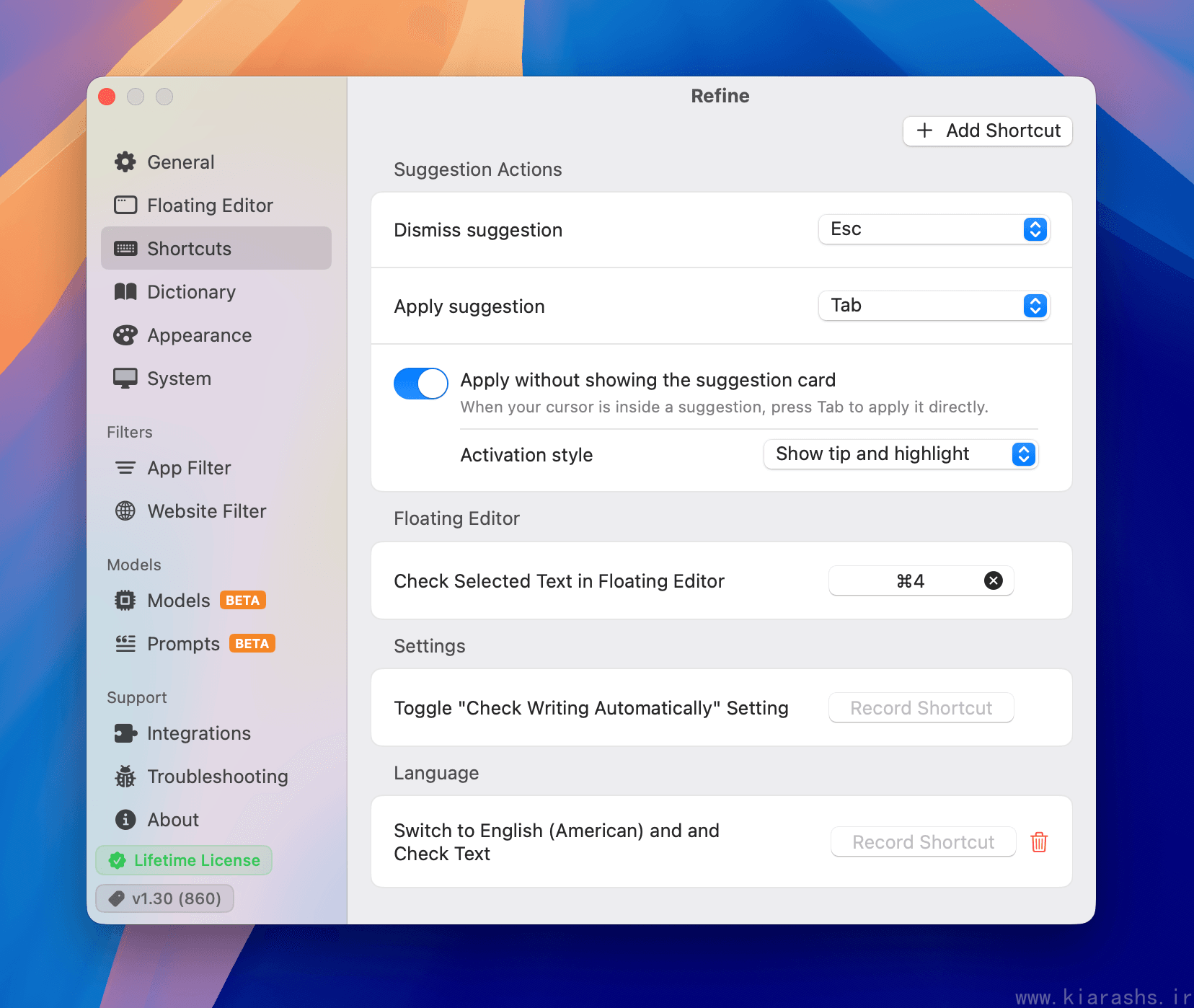
- Rebind virtually every shortcut — applying suggestions, dismissing them, opening the Floating Editor, switching dialects on the fly.
- Choose between automatic checking as you type (with an option to pause on battery power) or manual checks triggered by a shortcut.
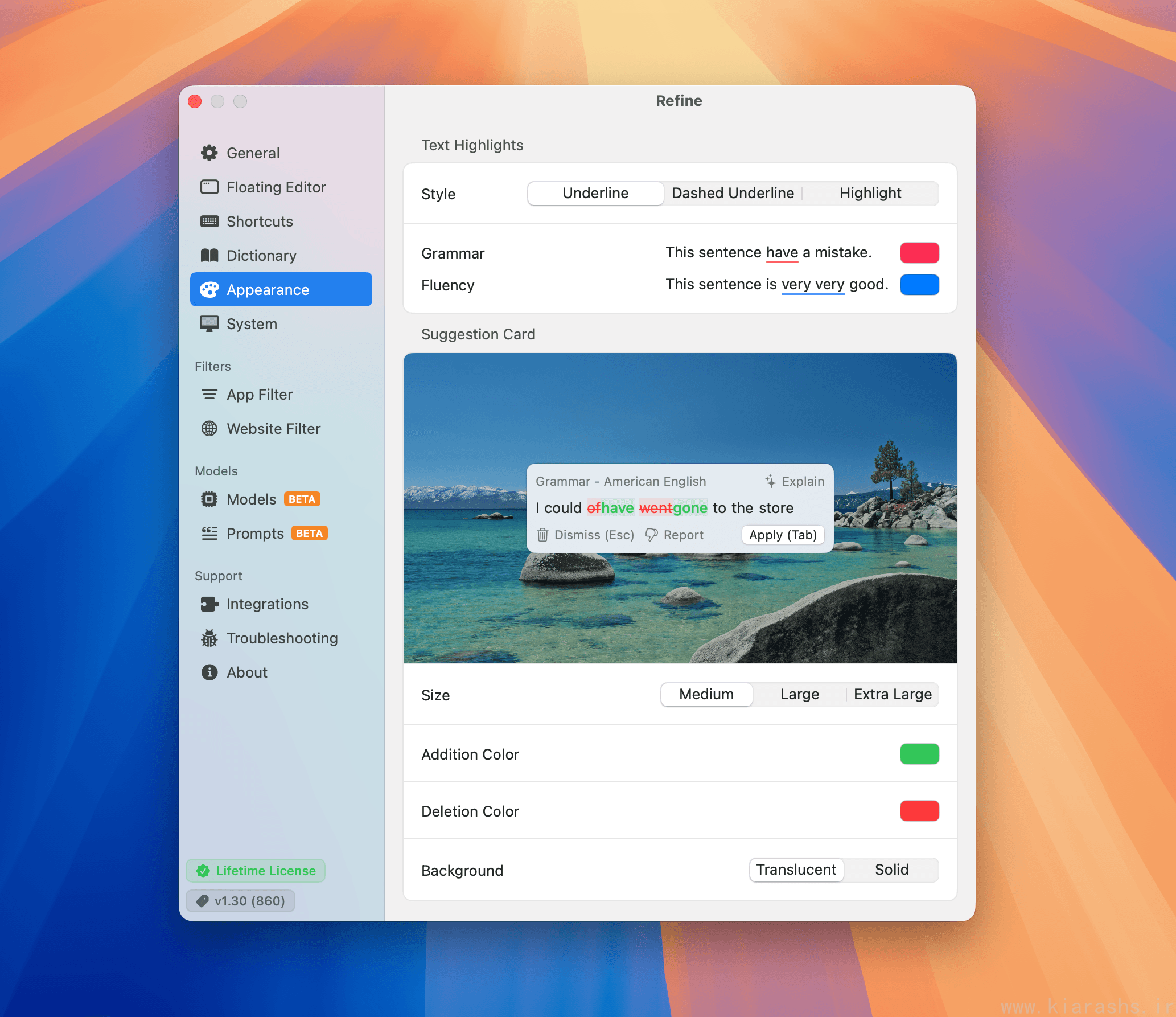
- Adjust highlight colors, suggestion card size, and diff colors for added/removed text so it actually matches your setup instead of looking bolted-on.
Pricing: Refreshingly Simple
This is where Refine really separates itself from the subscription-everything era. There's no monthly fee and no per-token billing — you pay once for a lifetime license:
| Price | $38 (single device), with options for 3–50 devices |
| Includes | All current features and all future updates |
| Free trial | 7 days, full features, no credit card required |
| Refund policy | 30-day, no questions asked |
| Student/educator discount | 30% off with an edu email |
| Regional pricing | Adjusted by purchasing power parity based on your location |
For a tool you'll likely use daily, "pay once, own it forever" is a genuinely nice change of pace from yet another monthly line item.
Where It Could Improve
In the interest of a balanced, comprehensive take:
- Mac only, for now. Windows and Linux users are stuck on a waitlist with no firm timeline — the developer has been upfront that macOS is the sole focus right now.
- Hardware matters. Local model performance is best on Apple Silicon with 16GB+ of RAM. Intel Macs or 8GB machines may want to lean on the BYOK option for snappier results.
- Single-device default. The base license covers one device; multi-device coverage is an add-on, which makes sense for a one-time-purchase model but is worth knowing upfront if you split time between a desktop and a laptop.
None of these are dealbreakers so much as honest scope limitations from a small, indie-built tool — and the developer has been transparent about all of them rather than burying the details.
Final Verdict
Refine is one of the more thoughtfully built writing tools I've used in a while. It doesn't try to out-feature every competitor with a kitchen sink of AI gimmicks — it focuses on doing grammar, fluency, translation, and explanation well, running it all locally, and charging fairly for it. The "Explain" feature alone makes it feel less like a tool that fixes your writing and more like one that teaches you something each time it does.
If you've been hesitant about cloud-based grammar checkers because of privacy, subscription fatigue, or just wanting something that works on a plane with no Wi-Fi, Refine is well worth the 7-day trial. It's rare to find a tool where the privacy pitch isn't just marketing — here, it's the actual architecture.
Try it yourself: refine.sh
This review reflects my own hands-on use of Refine on macOS.