- Published on
Looq, and why I press Space on everything now
8 min read
- Authors
- Name
- Kiarash Soleimanzadeh
- https://go.kiarashs.ir/twitter


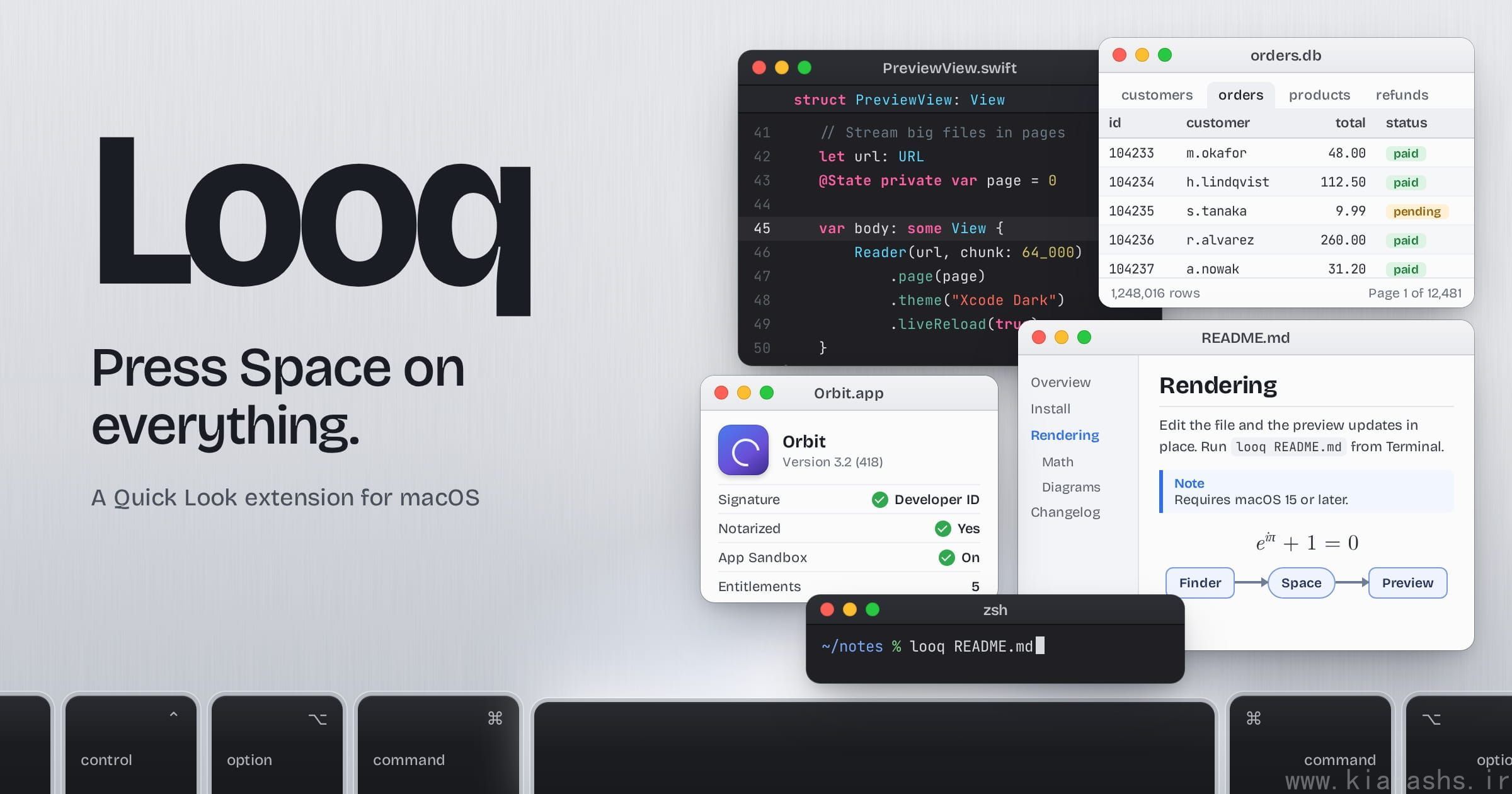
Table of Contents
For years, pressing Space on a Markdown file in Finder got me a wall of pound signs and asterisks. Quick Look is fine for photos and PDFs. For the files I spend my day with, like notes, source code, SQLite databases and zipped exports, it showed raw text or a big generic icon, and I'd end up opening an editor just to look at something.
Looq fixed that. It's a Quick Look extension from Parcse, who also make Mux, Ajar, Sweeper and Tray. You install it and keep doing what you did before: select a file, press Space. What comes back is different.
If you'd rather watch than read, here's the "Introducing Looq for Mac" video:
Markdown
Markdown is why I installed it, and it's still what I preview most. Looq renders GitHub-flavored Markdown with tables, footnotes, GitHub-style alerts, emoji shortcodes and images, both local files and remote ones, which it caches. Math goes through KaTeX, inline and in blocks. Embedded HTML is handled too.
Mermaid diagrams go through BeautifulMermaid, a native renderer, and the newer chart types (XY charts, for example) go to mermaid.js. You can zoom into a diagram and change its scale.
The table of contents sits in a sidebar and follows you as you scroll. You can collapse it, drag it wider, or toggle it from the right-click menu.
Other note formats get the same care. Org-mode files have their own rich preview, and code blocks in Quarto (.qmd) and R Markdown (.rmd) files are syntax-highlighted.
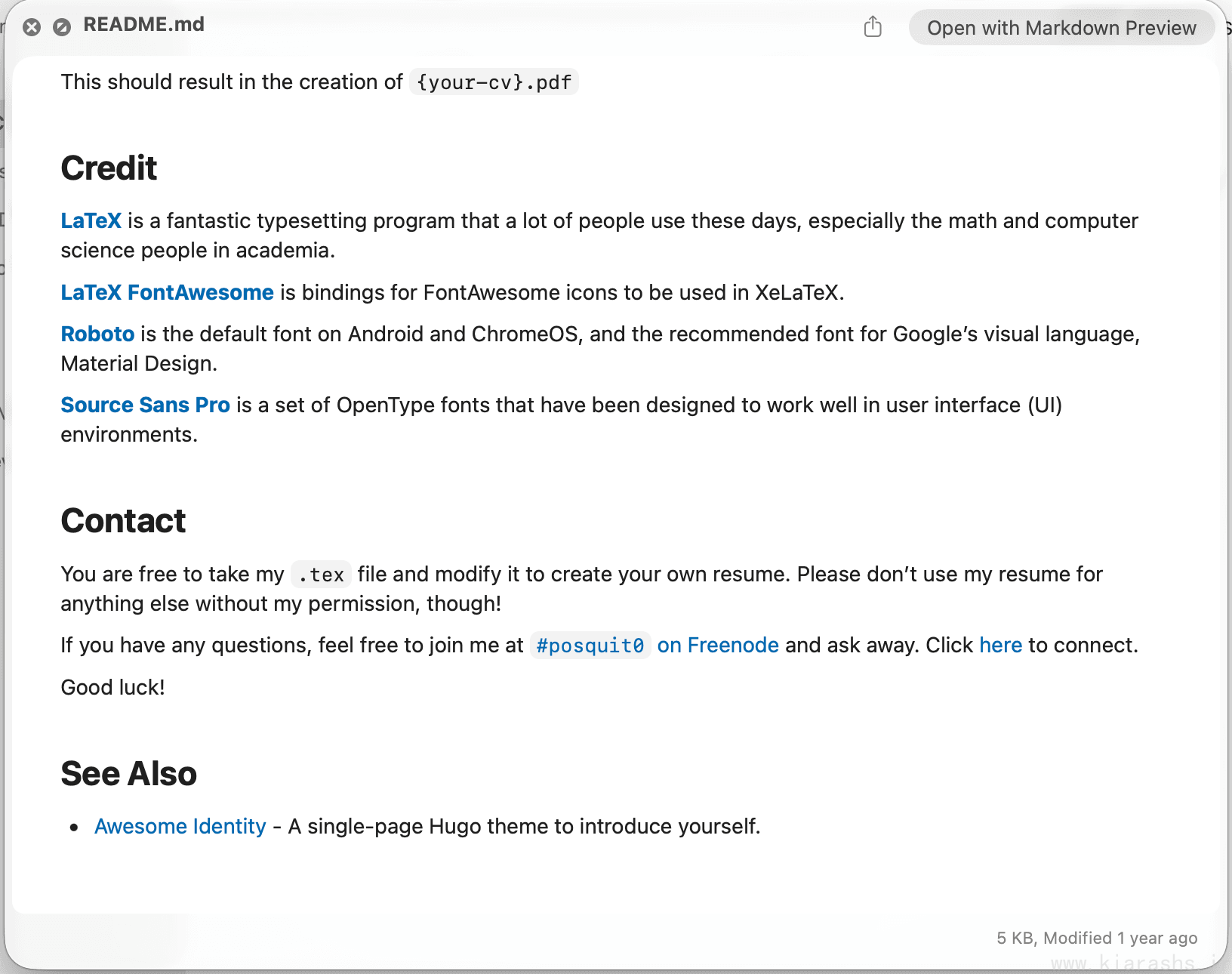
Plenty of plugins do Markdown, though. What kept me on Looq are the next five features. Parcse's comparison table on the Looq page puts it next to QLMarkdown, Peek and Folder Quick Look, and marks each of them as available only in Looq.
Live rendering
Open a preview, switch to your editor, change something, and the preview updates in place. You don't close Quick Look or press Space again, and nothing flickers. When the developer posted Looq on Hacker News in March, live reload was the part they said they were happiest with. They also explained why Mermaid goes through a native CoreGraphics renderer: so diagrams redraw without a flash.
It has been reworked a few times since. Version 1.2.0 refreshed the preview when you saved. In 1.6.0 it got better with editors that save atomically, and since 1.7.2 it updates the preview in place while you edit. Remember Scroll Position (Off, Session or Persistent) pairs well with it. A long document reopens at the line where you stopped.
Parcse posted a short demo on X.
The SQLite browser
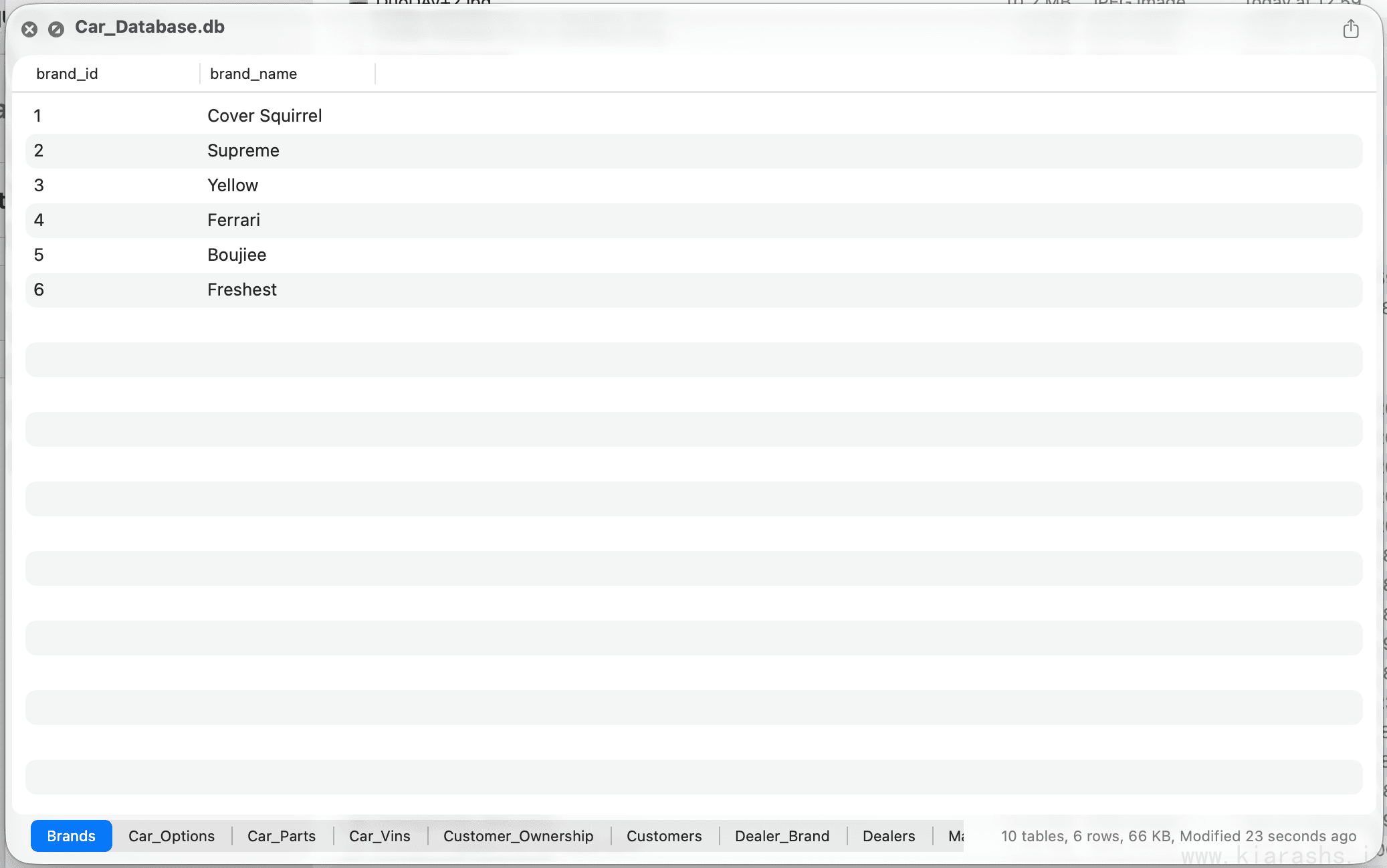
Press Space on a .db file and you get its tables, a switcher to jump between them, and rows you can page through and sort by column. The Setapp listing puts it at 500 rows per page. Column types and constraints show up in tooltips. Parcse says it stays smooth on million-row tables, and the 1.5.0 release notes list faster sorting and paging on large databases.
I use this one a lot. When I want to see what an app wrote to its database, or check that a migration added the column it was supposed to, a Quick Look is enough. I don't open a database app for that anymore.
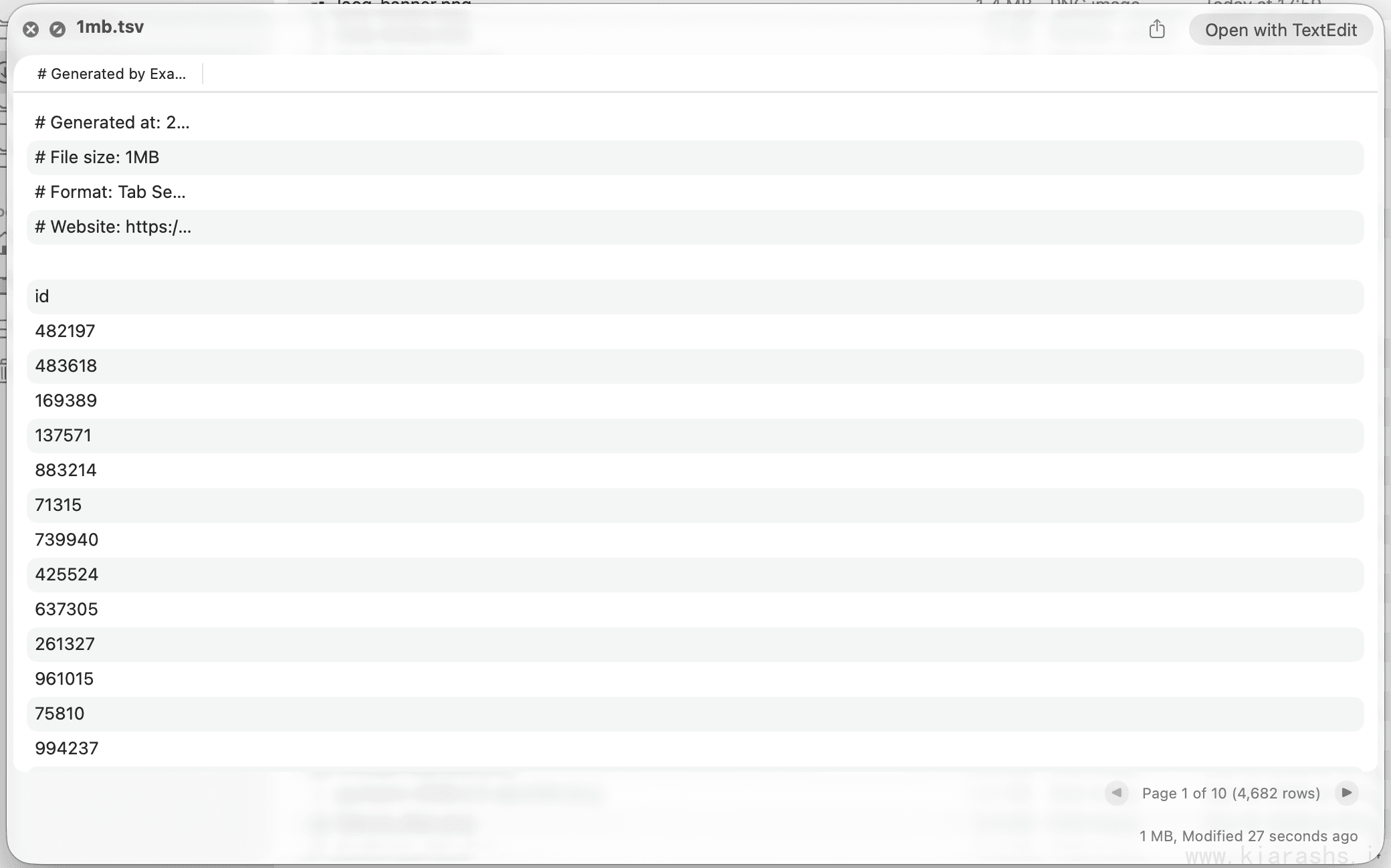
TSV files get a similar view: a native AppKit table with sortable columns and pages.
Built for large files
Looq doesn't try to load a big file all at once. Multi-megabyte source files, million-row databases and gigabyte archives come in by page or by chunk. Paging for code, TSV, SQLite and diff files arrived in 1.3.0, whose release notes say large files now preview instantly, and 1.7.3 fixed crashes and hangs on very large or malformed files.
Pressing Space on a huge log or data dump used to be a gamble for me. Now the first page is just there.
There's a demo of this on X too.
Metadata Preview
Select an .app bundle, press Space, and instead of a big icon you get its Info.plist, code signature, entitlements, notarization and sandbox status. The same view works for .ipa, .pkg, .dmg, .iso and .torrent files and for provisioning and configuration profiles. Android .apk files were added in 1.5.1.
I check downloaded apps with it before they go into Applications. It tells me whether an app is signed and notarized without a trip to codesign and spctl in Terminal, and it lists the entitlements the app asks for.
Parcse's demo is on X.
The command-line tool
Version 1.6.0 added a looq command that opens a preview from Terminal:
looq README.md
macOS has shipped qlmanage -p for a long time, but its own man page calls it a debug and management tool for the Quick Look server. With looq I can stay in the shell, look at a rendered README or a database, and close it. Version 1.6.1 improved its error handling.
Parcse's announcement is on X.
Code
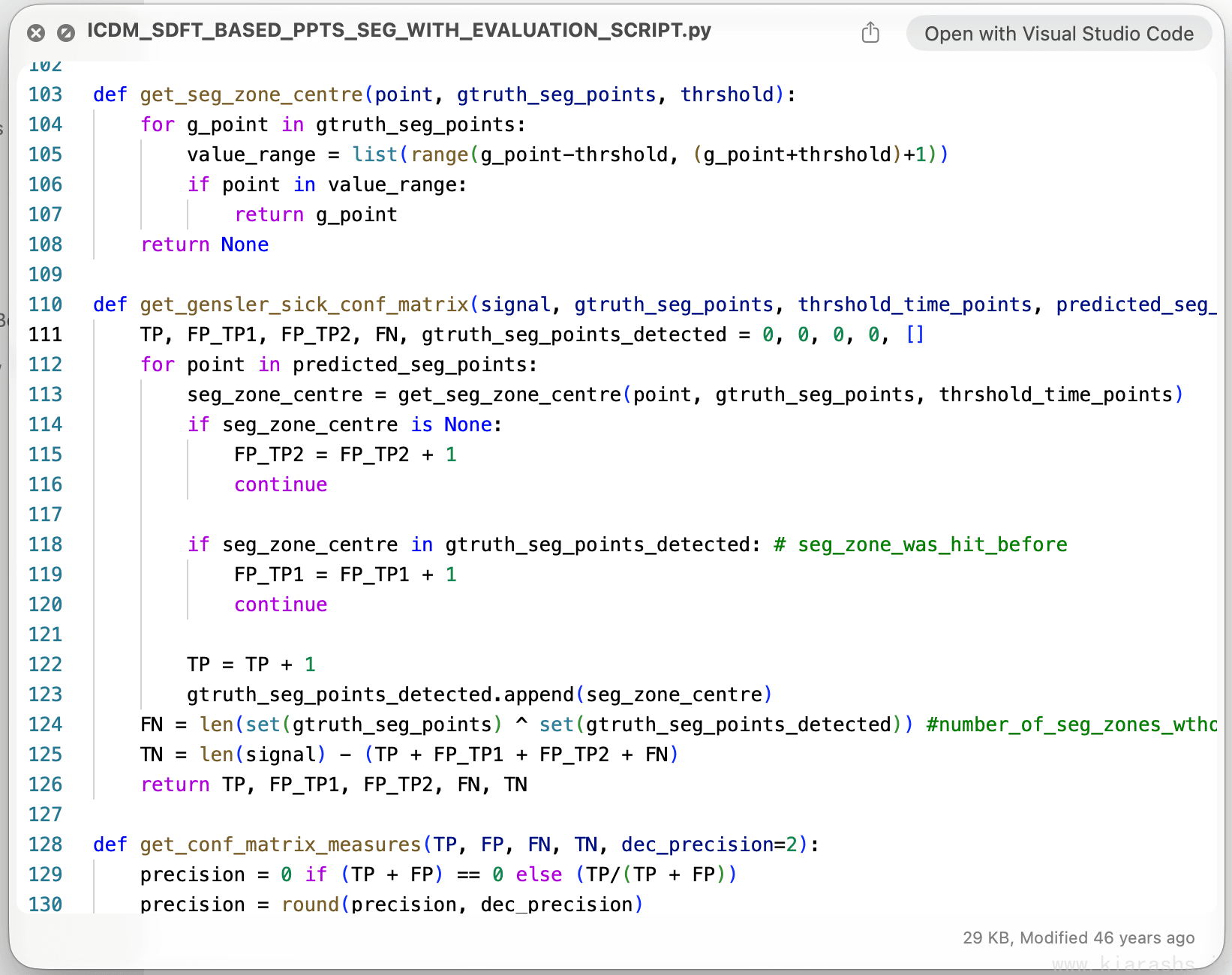
Code opens with syntax highlighting across 200+ file types, in the same colors VS Code shows. There are 38 code themes, and you choose the light and dark themes separately. Sticky headers keep the enclosing function and class pinned at the top of long files, blocks fold, and the line number under your mouse brightens.
Minified JSON, XML, plist, CSS and SQL get pretty-printed on the way in, with a toggle if you want the raw file. The list of file types keeps growing: 1.7.3 alone added binary property lists, awk and sed scripts, and .skill and .data files. Since 1.7.2, files saved in older text encodings no longer come out garbled.
Diffs
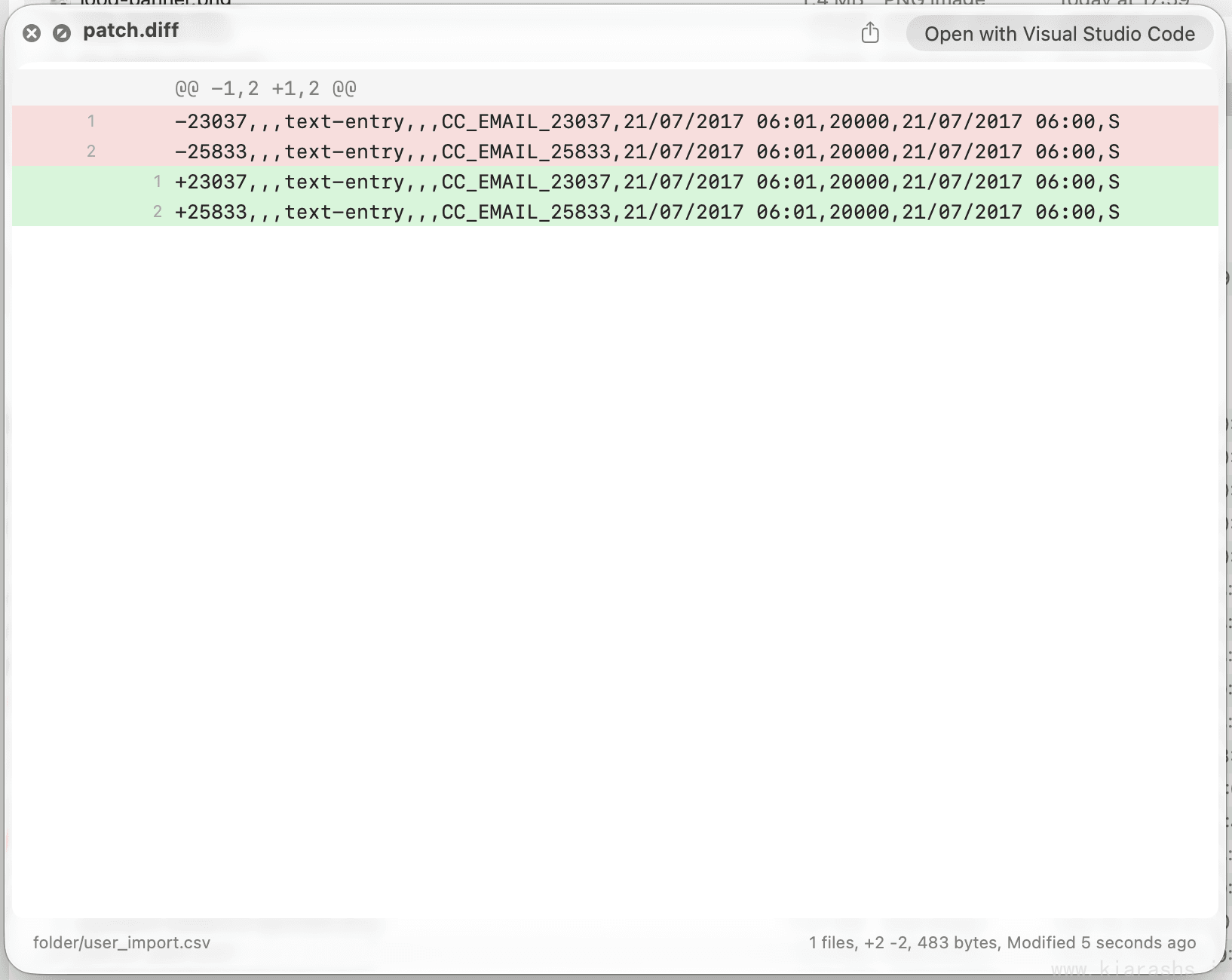
Diff and patch files render in red and green, with old and new line numbers paired beside each line and a count of added and deleted lines. A diff that touches several files splits into tabs.
Archives, folders and SVG
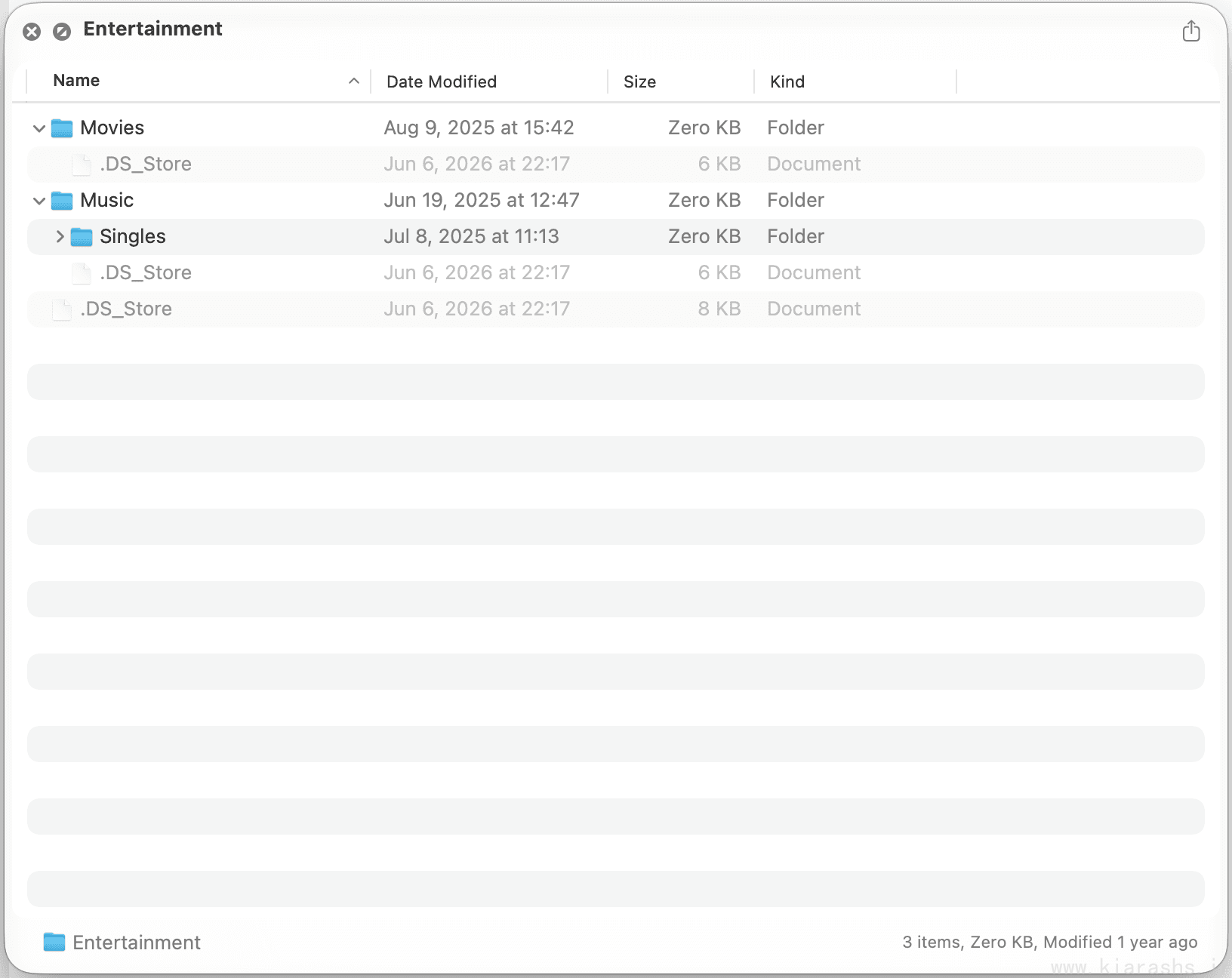
ZIP, TAR, GZ and BZ2 archives open without unpacking. Looq parses them natively in Swift and lays out the contents the way Finder would.
Folders show as a list or an icon grid, sorted and grouped by date, kind, size or tags. You can show hidden files, see Spotlight metadata, use right-click actions and step into subfolders. SVG files inside a folder get real thumbnails, and an SVG or SVGZ file on its own opens with zoom and pan.
The menu bar
Version 1.7.0 added a menu bar item. It lists the files you've previewed recently, and it also tracks your Claude Code and Codex sessions, so you can open whatever an agent just changed without hunting for it in Finder.
Settings and small things
Markdown has 15 themes of its own. Fonts, sizes and weights are set separately for Markdown and code. Looq can remember the preview window size for all files or per file type, and since 1.7.2 you can turn previews on or off per file type in System Settings. An info bar under the preview shows the file's details and stays current while you edit.
If Quick Look ever acts up, Help > Looq Diagnostics… checks the extension registration, conflicting apps, old Quick Look plugins and file type mappings. It tells you which app is getting in the way, offers repairs like clearing the Quick Look cache, and can send a report to support from the same window.
The app and the extension are available in English, German, French, Japanese and Korean.
Everything happens on your Mac. According to Parcse's FAQ, Looq only goes online to fetch remote images referenced in Markdown, to activate and check the license, to look for updates and to send anonymous telemetry, which you can turn off in preferences.
Everything it opens
| Kind | Files |
|---|---|
| Notes | Markdown, Org-mode (.org), Quarto (.qmd), R Markdown (.rmd) |
| Code and config | 200+ file types, including JSON, XML, plist (text and binary), CSS, SQL, awk and sed |
| Data | TSV, SQLite databases |
| Changes | .diff, .patch |
| Archives | .zip, .tar, .gz, .bz2 |
| Images | .svg, .svgz |
| Apps and installers | .app, .ipa, .apk, .pkg, .dmg, .iso |
| Everything else | Folders, .torrent, provisioning and configuration profiles, .skill, .data |
and much more!
Price
It starts at $10, paid once, with future updates included. It needs macOS 15 Sequoia or later. There's no free trial, but direct purchases are refundable in full within 14 days. Looq is also on Setapp. Students, teachers and researchers get 20% off through the education page, and the Parcse Discord has a community discount.
Their support
This is the part that made me want to write this post. I've emailed Parcse several times to ask for new file types and features. Every reply came back almost immediately, and every one was warm and kind. The answer was almost always yes: they'd add it in a future update.
Here's what I've asked for so far:
- RAR archives
- Font files:
.ttf,.otf,.ttc,.woff,.woff2and the rest of the family - Subtitle files
- Ebooks and comics:
.cbr,.cbz,.epuband.fb2 - BibTeX files (
.bib)
That's five requests and five friendly yeses. None of them is in the changelog yet when I write this blog post, so I can't show you how they'll look. It's awesome all the same.
To ask for something yourself, use Help > Send Feedback… inside the app, which attaches your macOS and Looq versions to the message, or email [email protected].