- Published on
Maclip Review: A Smarter Clipboard Manager for macOS?
6 min read
- Authors
- Name
- Kiarash Soleimanzadeh
- https://go.kiarashs.ir/twitter


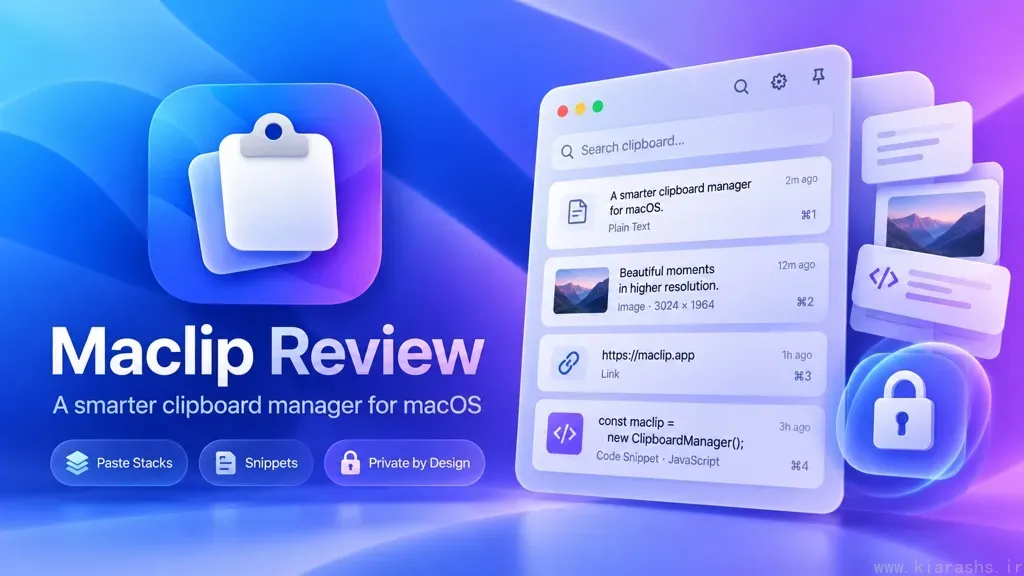
Table of Contents
- A clipboard history that meets you at the cursor
- Paste Stacks make repeated entry less tedious
- Search and organization go beyond simple history
- Snippets, formatting rules, and useful extras
- Privacy is a strength, with important nuances
- Price, limitations, and alternatives
- Verdict: a practical power tool with an attractive price
Copying and pasting should be effortless. Yet macOS users regularly run into the same problem: copy something new and the previous item becomes harder to retrieve. Apple has improved its built-in clipboard experience, but anyone juggling links, screenshots, code, and repeated phrases can still benefit from a dedicated manager. Maclip makes a compelling case with an unusually practical promise: put your clipboard history exactly where you are typing.
Maclip is a native Swift and SwiftUI app for macOS 13 or later, available for Apple Silicon and Intel Macs. It combines clipboard history, paste automation, text expansion, organization, and local encryption in a one-time purchase. This review evaluates its documented features, pricing, and trade-offs; it is not a claim of extended hands-on testing or independently measured performance.
A clipboard history that meets you at the cursor
Maclip's most appealing design decision is its entry point. Press Command–Shift–V (⌘⇧V) and your clipboard history opens beside the text cursor rather than forcing you into a separate application window. Search, select an item, and press Return to paste. That interaction sounds small, but it addresses the real friction of clipboard tools: the time spent leaving your task to recover something you already copied.
There is also a menu-bar interface, customizable shortcuts, and quick-paste commands for recent clips. Maclip says it captures text, links, code, colors, images, and files while preserving formatting when possible. Shift–Return pastes plain text, avoiding the familiar mess of mismatched fonts and styles.
The strongest aspect here is not the volume of features; it is the attempt to keep copy-and-paste inside the flow of writing.
Paste Stacks make repeated entry less tedious
Paste Stack is the feature that most clearly distinguishes Maclip from a basic searchable history. You can queue several copied items and paste them one after another, using separators such as Tab or Return. Picture transferring a person's name, email, and address into a form: instead of repeatedly reopening history, you prepare the sequence and let the stack move through the fields.
Maclip can also merge clips into a list or paragraph. These are particularly useful ideas for researchers assembling citations, support staff handling repetitive entries, and developers moving commands or structured fragments between tools.
There is a caveat: automated pasting depends on the receiving app and its field behavior. Complex web forms or unusual input controls deserve a trial run before you trust a long stack with important data.
Search and organization go beyond simple history
A clipboard archive is only valuable when you can find things again. Maclip supports filters based on source app, type, and date; saved searches; smart boards; and typo-tolerant matching. It also offers on-device OCR, making words in copied screenshots searchable, plus a Go to Source action intended to reopen the originating page or document.
For people who accumulate hundreds of snippets, smart boards are a welcome alternative to manually filing everything. You can group clips by site, tag, content, or recency without moving the originals. Maclip additionally describes on-device semantic search, although real-world relevance and speed would need hands-on comparison to judge fairly.
The potential downside is complexity. If your only goal is to recover the last three copied sentences, boards, rules, and analytics may feel like more interface than you need.
Snippets, formatting rules, and useful extras
Maclip is not just a clipboard vault. Its text-expansion snippets can replace abbreviations with longer responses, including placeholders for the date, clipboard contents, or final cursor position. Frequent email replies, signatures, and code templates are natural use cases.
Per-app paste rules are another thoughtful addition. You might prefer plain text in Terminal or Slack and Markdown in Obsidian, without remembering a different paste shortcut each time. Maclip also includes link-tracking removal, QR-code tools, Apple Shortcuts actions, and optional Apple Intelligence writing tools. The latter require compatible hardware and macOS 26, so they should not be mistaken for universally available functionality.
The overall impression is of a utility designed around real copying workflows, although not every extra will matter to every user.
Privacy is a strength, with important nuances
Clipboard managers handle potentially sensitive material, so their privacy model matters. Maclip says it stores clips only on your Mac, encrypted using AES-GCM-256, with its encryption key in the macOS login Keychain. It automatically excludes concealed items and supported password managers, and it offers Incognito Mode, ignored apps, expiring clips, and Touch ID-protected boards.
Its optional local MCP integration lets tools such as Claude or Cursor request clipboard data, but Maclip says requests require your approval. That is preferable to silently exposing an entire history to AI software.
Still, “local” does not mean “no network activity whatsoever.” The developer says license validation sends an anonymous installation identifier, while rich link previews may fetch public page metadata unless disabled. More importantly, the lack of cloud backup means clipboard history may not survive a reinstall. For privacy-focused users, that is both a benefit and a trade-off.
Price, limitations, and alternatives
At the time of writing, Maclip advertises a seven-day full-featured trial without a credit card, followed by a $6.49 introductory lifetime license for up to two personal Macs. Its regular listed price is $19.99, and the launch price increases as copies sell. Future updates are included. The low entry price is appealing, but check the live price before purchasing; the developer also states that sales are final after the trial.
Maclip is not the automatic choice for everyone. It does not offer iPhone or iPad syncing, which makes Paste potentially more suitable for cross-device workflows. Maccy is worth considering if you favor a simpler, open-source clipboard manager. And users deeply invested in Raycast or Alfred may prefer keeping clipboard access inside their existing launcher rather than installing another dedicated utility.
I would also want independent testing of memory use, accessibility, paste reliability across apps, and long-term behavior with very large histories before calling Maclip the definitive best-in-class option.
Verdict: a practical power tool with an attractive price
Maclip's central idea is excellent: bring history to the insertion point, then give frequent copiers better ways to search, batch-paste, format, and reuse what they have saved. Paste Stacks, app-specific rules, and privacy controls are more meaningful than flashy additions because they target everyday frustration.
Its compromises are equally clear: no cross-device sync, a potentially busy feature set, and important claims about efficiency that need independent verification. For Mac-first writers, developers, and productivity enthusiasts, Maclip looks well worth its free trial—especially at the introductory price. Casual users may be perfectly happy with a lighter alternative.
Bottom line: Maclip appears to be a thoughtfully designed, privacy-conscious clipboard manager whose biggest advantage is how little it asks you to interrupt your work.