- Published on
The teleprompter that waits for me
8 min read
- Authors
- Name
- Kiarash Soleimanzadeh
- https://go.kiarashs.ir/twitter


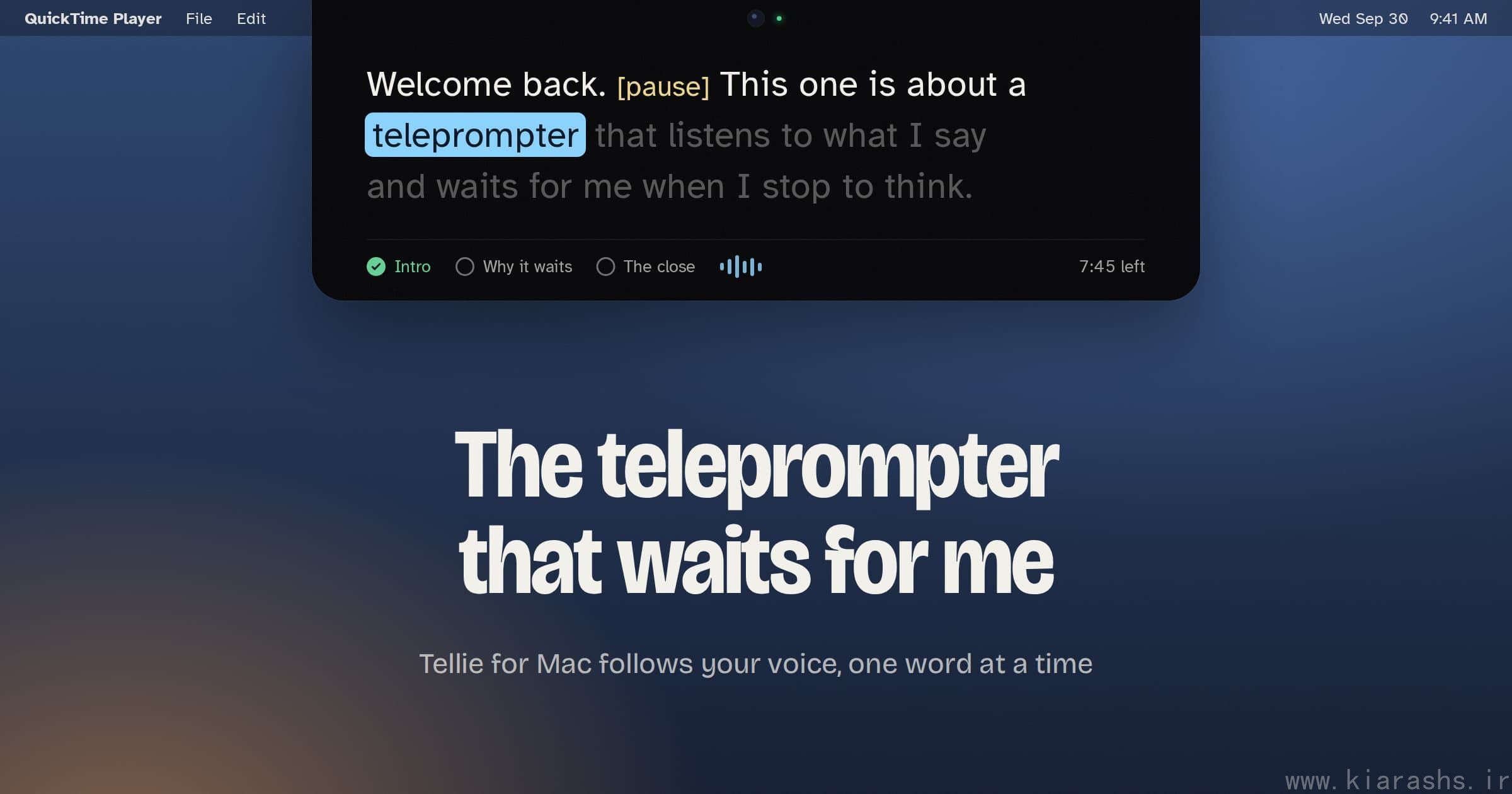
Table of Contents
A normal teleprompter makes you a deal: it picks a speed, and you keep up. Stop to think and the text keeps going. Say something that isn't on the page and you lose your line, then spend a few seconds on camera hunting for it, which looks exactly like what it is.
Tellie flips that. It's a Mac app that listens while you talk and moves the script forward one word at a time, as you say each word. When you stop, it stops. That single change is why I'd recommend it to anyone who reads from a script on camera.
If you'd rather watch than read, Steve Chazin, who made Tellie, recorded a single 2 minute 41 second take with it running in the notch:
It lives right under the camera
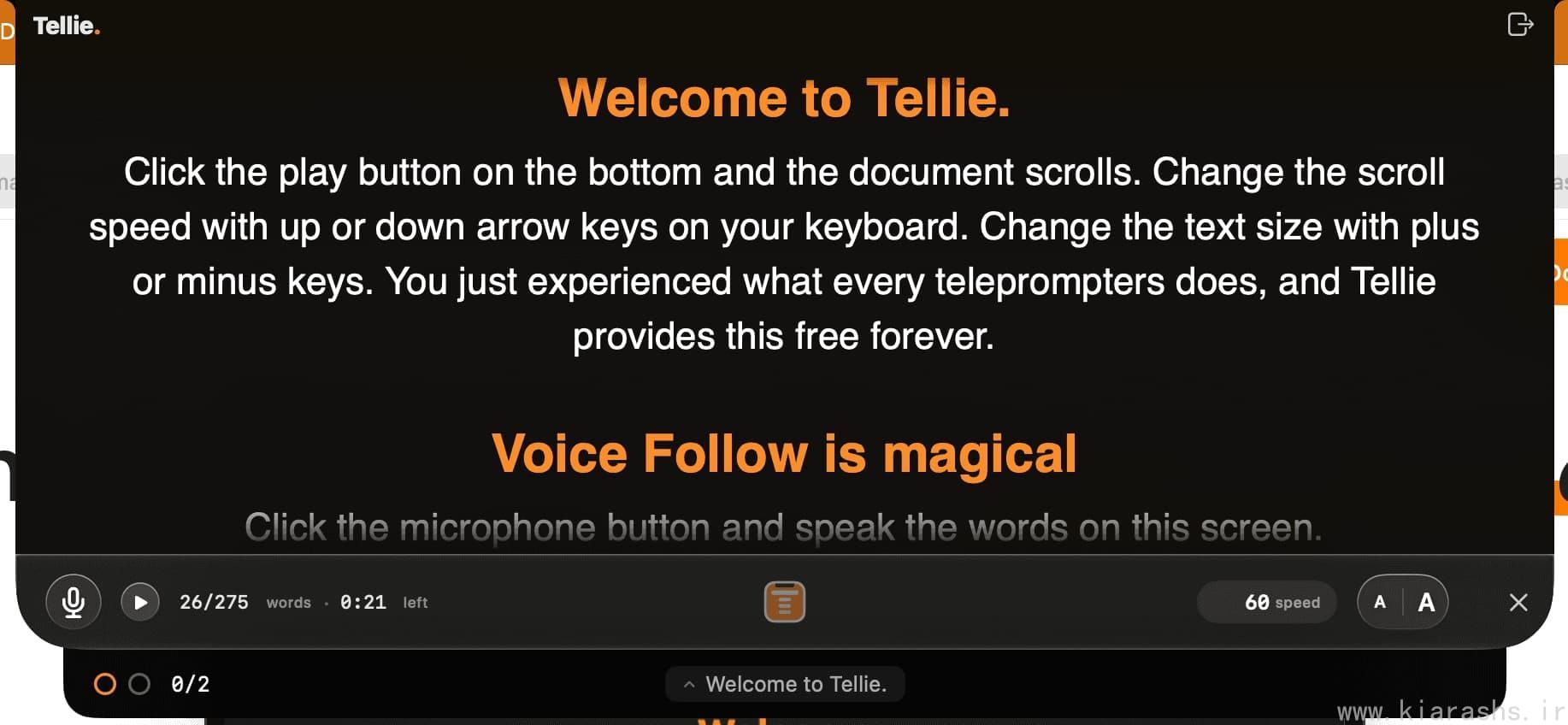
Tellie hangs from the notch at the top of a MacBook screen, which puts your script about as close to the lens as it can physically get. Your eyes stay near the camera while you read, so on video you look like you're talking to the person watching and not to a document. When you finish, it tucks back into the notch.
No notch is fine too. On an iMac, a Mac mini or an external display it sits top-center, just under the menu bar, and does everything else the same way.
It follows words, not a speed
Voice Follow runs on Apple's on-device speech recognition. According to Tellie's press kit it tracks the words themselves, not your volume and not how fast you're talking. In practice that means:
- Pause, and the highlight waits for you.
- Skip a line, and it finds you further down.
- Wander off script, and it holds your place until your words match the page again.
Conrad Gempf, who uses it for teaching in London, said it more plainly than I can: "The virtue of Tellie for me lies in my not having to control it."
Nobody on the call can see it
macOS lets an app keep its window out of screen capture, and Tellie does this by default. Zoom, Teams, Meet, FaceTime and screen recorders all see whatever is behind the prompter. Share your entire screen and the script isn't in the share. This works in the free version too, which Tellie's own comparison chart says isn't always the case with other notch prompters.
If you do want it visible, say for recording a tutorial about Tellie itself, there's a toggle in Settings. It lasts for that session and resets when you quit.
Stagehand is the part I'd pay for
Knowing where you are in the script is one problem. Stagehand handles a different one: what haven't I said yet?
You mark up the script with a few characters. A heading with an exclamation mark after the hashes is a section you must cover, and it turns green once you've covered it. A line that starts with > key: names a phrase. Say it anywhere in the take, inside any sentence you like, and that point checks itself off, even if you never read the line under it. A minutes: line near the top tells Tellie how long your slot is. Anything in square brackets is a note to yourself; Tellie shows it in soft yellow and never waits for you to say it.
A short script with all of it:
minutes: 5

# Episode 12

## ! Intro
> key: welcome back
Welcome back. [pause] Today I'm answering the question I get asked most.

## The answer
> key: forty percent
The short version is that about forty percent of it comes down to lighting.

## Behind the scenes
Nice to have. If time runs short, this is the section to drop.

## ! The close
Thanks for watching. Tell me what to cover next.
Numbers can be written either way, so > key: 40 percent also matches you saying "forty percent." Commas separate alternatives, and saying any one of them counts.
The clock is where it earns its keep. If time is getting tight and a must-cover section is still ahead, Tellie warns you by name and gives you a button that jumps straight there. It bases the math on your real speaking pace. Leave out the minutes: line and it projects the whole script from how fast you open.
One thing from the scripting guide that's easy to miss: the warning only protects sections you flagged. If every ## ! sits near the top and your ending is unmarked, a slow second half won't trigger anything. Put a bang on the close.
And when you drift off script for a minute, the highlight holds its place while the tracker keeps counting.
You don't have to write Markdown for any of this. Word, Pages, RTF and PDF files bring their headings in as sections automatically, and in a Word document you can type ! as the first character of a heading to make it must-cover. If you don't want to mark anything up by hand, the scripting guide has a one-line prompt you can paste into an AI assistant along with your plain script, and it hands back a version with the marks added.
A debrief after every take
Take Coach writes a short report when you stop: your time, word count, pace, your longest pause, any key phrase you missed, and one line on what to change next time. It's written on the Mac, and Tellie doesn't store what you said.
Keynote notes in the notch
Presenter Magic puts your Keynote speaker notes in the notch, a slide at a time, while the audience sees only the slides. With Voice Follow on, finishing the last word of a slide's notes moves you to the next slide. PowerPoint isn't supported yet; the changelog lists it as coming.
Your phone as the prompter
Companion turns a phone, tablet or second laptop into a prompter view, a remote, or a private checklist, over your own Wi-Fi. The Mac keeps doing the listening. Tellie says this works with beam-splitter rigs, where the words are reflected onto glass in front of the lens.
The smaller stuff
Send to Tellie is a hotkey that works from any app: select some text, press it, and the text lands in the prompter. Tellie opens plain text, Markdown, RTF, Word, PDF and Pages files, keeps bold, italics and headings, and turns headings into sections you can jump between with Tab or the number keys. There's a font picker with serif, sans and OpenDyslexic built in, plus an all-caps toggle. For developers, there are tellie:// links and @tellie/cli and @tellie/mcp packages on npm, so a build script or an AI agent can push a status line into the notch. That part, called Pulse, is free.
Privacy, and the person behind it
Speech recognition happens on your Mac. There's no account, no sign-in and no telemetry, and your voice and scripts are never sent to Tellie's servers. The whole app is about a 4 MB download and works offline.
Tellie is made by Steve Chazin, a former Apple executive rehired by Steve Jobs in 1997, who later worked at Cisco and Salesforce. He doesn't code. He built the first working version in three days in May 2026 with Claude as his programming partner, while visiting his granddaughter in Vermont. The app is named after her: Ellie, who is just learning to read.
It has shipped fast since then, and a lot of the changelog is credited to users by name. Actor Andrew P. asked for PDF support and a prompter that detaches from the notch. Emmy-winning writer Sprague Theobald asked for the font picker and the all-caps toggle. Version 1.6.3, out September 29, added the square-bracket notes because Yavuz Gürkan asked for them.
Price, and what to check before you download
The basic teleprompter is free for good: it scrolls at a speed you set, sits in the notch and stays invisible on calls. Every download unlocks all of Pro for 10 days, with no account and no card. After that, Pro is $29 once, covers up to three Macs, includes every 1.x update, and comes with a 14-day refund.
Check two things first. Tellie needs an Apple silicon Mac on macOS 14 or later, and it won't run on Intel. And Voice Follow, the feature this whole post is about, is part of Pro. Once the trial ends, the free version scrolls at a fixed speed like every other prompter. Voice Follow also depends on Apple's on-device speech models, which Tellie says cover more than 40 languages.
Use the 10 days on real work, not a test paragraph. Stagehand in particular doesn't click until you've marked up a script you actually have to deliver, with a clock you actually have to beat. You can get it at tellieapp.com.